PrusaSlicer and Cura don't exist on iOS. But you can still get from STL to G-code without touching a desktop — here's every working path, honestly ranked.
Updated November 8, 2026 · Published by Forma3D
No major desktop slicer — PrusaSlicer, Cura, Orca, Bambu Studio — ships for iOS. What exists instead: one genuine browser slicer, several cloud slicing pipelines, and web interfaces to a slicer running elsewhere. Pick based on your printer and how much control you need.
Kiri:Moto (free, by Grid:Space) runs fully in the browser — no install, no account, works offline once loaded. It produces real G-code with per-printer profiles, layer height, infill, supports, skirt/brim and preview. Drag an STL in, tune, export G-code to Files.
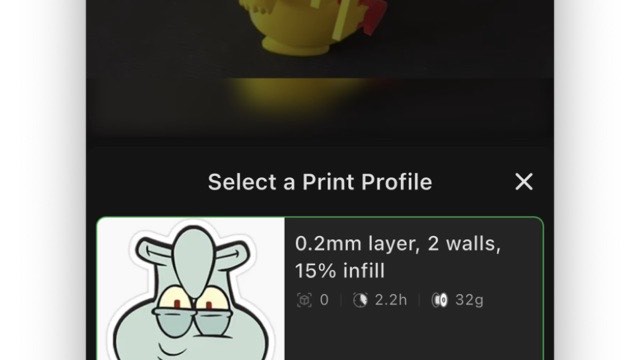
The big ecosystems slice on their servers: Bambu — upload to MakerWorld as private, then print from Bambu Handy (slicing happens in the cloud); Prusa — Prusa Connect + EasyPrint; Creality — Creality Cloud is the closest thing to a real slicer app on iOS. The whole chain lives inside the app: Upload Model → 3D Preview with filament color slots → Slice Edit (quality presets from 0.08 to 0.24 mm plus searchable Quality/Support/Infill/Brim-Adhesion parameter tabs — layer height, Z-seam, Smart Seam, first-layer settings) → Slice Preview showing the sliced model on the virtual bed → Send Print straight to your printer. The slicing runs in Creality's cloud, but unlike Bambu's opaque pipeline you see and tune everything before it goes. The trade-off: you're inside Creality's cloud and ecosystem.
If your printer runs OctoPrint or Klipper, its web UI opens in Safari: Mainsail/Fluidd for Klipper, OctoPrint's own UI or OctoPod/Obico apps. Slicing there means the Pi runs a slicer plugin or you upload ready G-code. Comfortable workflow, one honest caveat: the Raspberry Pi is still a computer — the iPad is just the screen.
Whatever slicer path you choose, the STL has to be right before slicing: repaired, resized, split, oriented. That's the on-device half — fix the mesh in Forma3D, export a clean STL/3MF to Files, then hand it to Kiri:Moto or a cloud pipeline. Full workflow: send STL to printer from iPhone.
Send STL to a 3D printer — the full phone-to-printer chain.
Repair a broken STL — fix the mesh before it hits the slicer.
Resize an STL — scale before slicing, not in the slicer.
Convert 3MF to STL — if your slicer path needs plain STL.
No — neither has an iOS/iPadOS version. On iPad your real options are Kiri:Moto (a genuine slicer running in Safari), cloud slicing through the Creality Cloud app (built-in slicer with in-app preview), MakerWorld/Bambu Handy or Prusa Connect, or a Klipper/OctoPrint web interface where a Raspberry Pi does the computing.
Yes — it generates actual G-code in the browser with profiles for common printers, layer/infill/supports settings, and preview. It won't match PrusaSlicer's tuning depth, but for straightforward FDM prints it's a legitimate slicer that costs nothing and runs on any iPad.
Yes. The fully mobile path: prep the STL in Forma3D → slice in Kiri:Moto or upload to MakerWorld (private) → start the job from Bambu Handy or your printer's app. The only caveat: the STL must be ready first — that's what Forma3D is for.
Not exactly — apps like OctoPod or the Mainsail/Fluidd web UI run in Safari, but the slicing happens on the Raspberry Pi running them (via its slicer plugin or KlipperScreen). The iPad is a window; the Pi still does the math.
Available on iPhone and iPad
 Forma3D